Introducing Resage: Read Your Files with an AI That Remembers You
Updated October 2026 for Resage 2.0. This post first appeared at our July launch; it now describes the app as it is today.
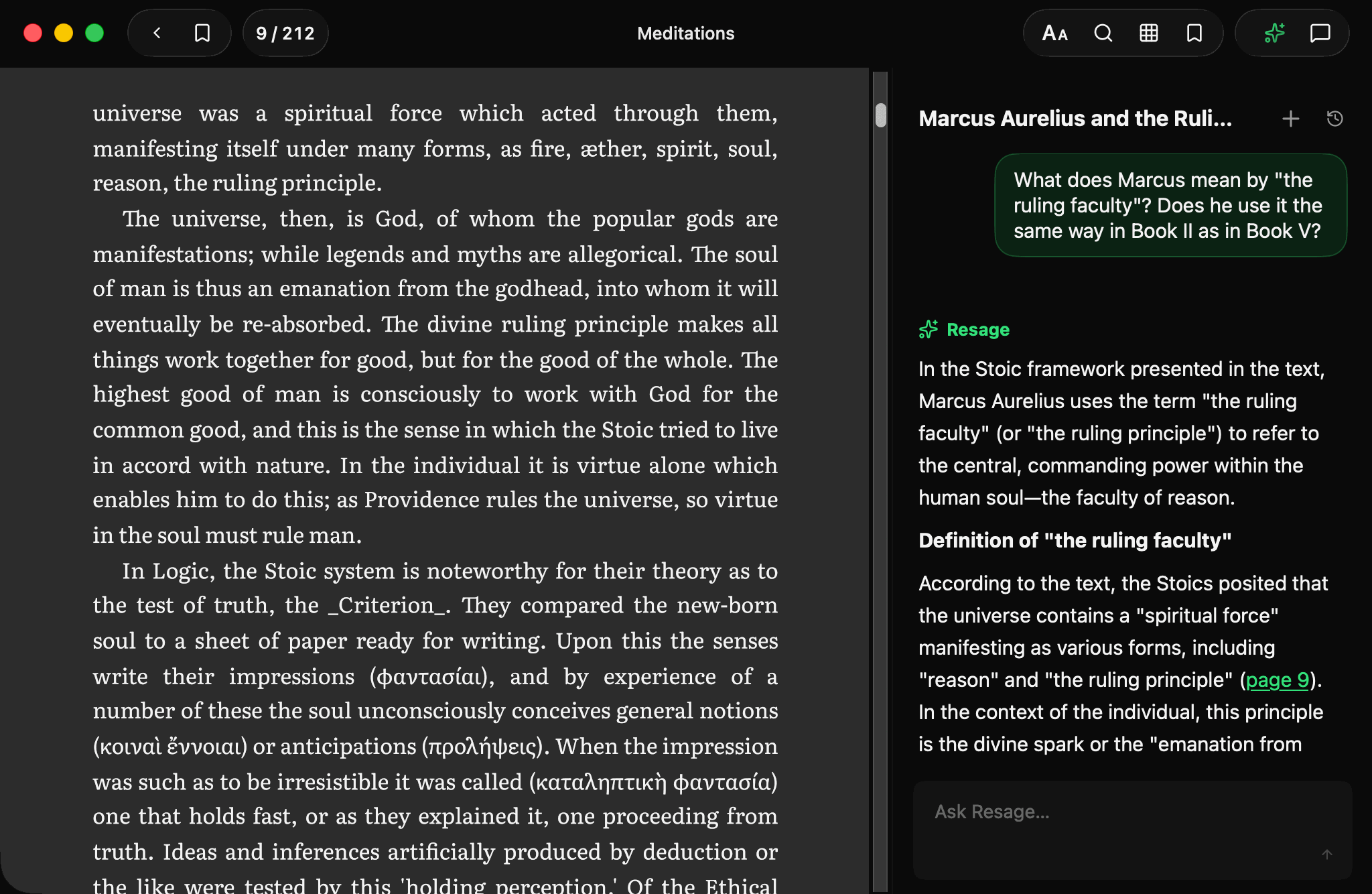
Resage is a reading app for your own files, built for people who want to read deeply and think clearly. It opens EPUB, PDF and the other formats you already have, and puts an AI beside the page that only speaks when you ask.
It is not a chatbot with a PDF attached. It is a calm reader first, and the AI works from the actual text of your file.
What makes Resage different
1. A calm reader first
Resage shows your files a full page at a time, in their original layout, on Mac, iPhone and iPad. The discussion sits beside the page and stays quiet until you ask a question. Light, dark or follow the system.
2. It remembers you
A stateless chatbot treats you like a stranger every time. Resage keeps your conversations in your account, so across files and over weeks it remembers what you have read and asked about. You can clear it at any time in Settings.
3. Answers anchored to the text
Every answer is grounded in the file you have open. Click a citation and the reader jumps to that passage. When Resage draws on general knowledge instead of the text, it says so. When it is unsure, it says that too, rather than making something up.
4. Ask about the whole file
With your AI consent, Resage reads newly imported files in the cloud, including text recognition for scanned PDFs, so you can ask about the entire file from any page, not just the screen in front of you.
Private by design
Newly imported files are uploaded for cloud reading only after you agree to AI data processing. Temporary uploaded originals are deleted when processing finishes, or within seven days if it cannot complete. Without AI consent you can still read with lightweight local parsing and nothing is uploaded. We never train models on your content. Details are in Your files, and exactly what leaves your Mac.
Get started
Resage is free to start, with Plus and Pro plans for heavier use. See what is new in Resage 2.0, compare plans on the pricing page, or download Resage and open your first file.
Happy reading!