Guide
What formats does Apple Books support on Mac, and can it open AZW3 or MOBI?
Apple Books natively opens EPUB and PDF, but rejects Kindle formats (AZW3, MOBI), Word docs, and plain text. Here is the full compatibility matrix, why Apple Books refuses certain files, and how to read unsupported formats on Mac.
Double-click an .azw3, .mobi, or .docx file on macOS, and Apple Books will not open it. It will either fail silently or tell you the format is unsupported.
The reason is simple: Apple Books is built around the open .epub standard and .pdf. Kindle formats (.azw3, .mobi, .azw) are Amazon's proprietary wrappers, and Apple has never built parsers for them into macOS or the Books app.
If you have books or documents in formats Apple Books rejects, you have three practical paths on a Mac: convert them to EPUB, view them in an older utility like Calibre, or open DRM-free files directly in a modern reader like Resage.
Here is the complete format support matrix and what to do for each file type.
Apple Books format support matrix
| Format | What it is | Apple Books | Resage (Mac) | What to do on Mac |
|---|---|---|---|---|
.epub | Open ebook standard | Yes | Yes (Reflowable) | Opens natively in both apps. |
.pdf | Fixed-layout document | Yes (via Preview) | Yes (Original layout + OCR) | Opens natively in both apps. |
.azw3 | Kindle Format 8 (KF8) | No | Yes (if DRM-free) | Open directly in Resage or see how to open AZW3 files on Mac. |
.mobi | Legacy Kindle format | No | Yes (if DRM-free) | Read directly in Resage or convert to EPUB with Calibre. |
.azw | Kindle store format | No | Yes (if DRM-free) | Most store files have DRM; DRM-free copies open in Resage. |
.docx | Microsoft Word document | No | Yes (Reflowable) | Read and discuss in Resage, or open in Pages / Word. |
.doc | Legacy Word document | No | No | Resave as .docx or .pdf in Pages / Word first. |
.txt | Plain text | No | Yes (Reflowable) | Read in Resage with typography & AI, or open in TextEdit. |
.md | Markdown document | No | Yes (Reflowable) | Read in Resage with typography & AI, or open in a text editor. |
.cbz / .cbr | Comic book archive | No | No | Use a dedicated comic reader like YACReader. |
.djvu | Scanned document format | No | No | Convert to PDF or use a dedicated DjVu viewer. |
.azw4 | Kindle print replica (PDF wrapper) | No | No | Export or scan as standard PDF. |
What to do when Apple Books rejects your file
1. AZW3 and MOBI files (Kindle formats)
Amazon introduced .azw3 (Kindle Format 8) to replace legacy .mobi files, adding HTML5, CSS3, and embedded fonts. Apple Books rejects both formats completely.
- If the file is DRM-free: You can open it directly in Resage without any file conversion. Resage reflows the text with native typography and allows full-text AI discussion.
- If you must use Apple Books: You need to convert the file to
.epubfirst using Calibre. For a step-by-step walkthrough, read how to open and read AZW3 files on Mac. - If the file is DRM-protected: Books purchased directly from Amazon's Kindle store contain DRM and cannot be opened by any third-party reader.
2. Microsoft Word documents (.docx and .doc)
Apple Books is strictly a digital book reader and does not import word processor files.
- For
.docx: Resage opens modern Word documents directly, reflowing them into book typography so you can read and discuss long reports or manuscripts. - For legacy
.doc: Neither Apple Books nor Resage supports legacy binary.docfiles. Open the file in Pages or Microsoft Word and export it as.docxor.pdf.
3. Plain text and Markdown (.txt and .md)
Apple Books ignores .txt and .md files dragged into its library.
- What to do: You can view text files in macOS TextEdit, or drop them into Resage to read them as formatted books with customizable fonts, margins, and AI assistance.
4. Comic archives (CBZ and CBR)
Comic archives are zip or rar archives containing sequenced image files. Neither Apple Books nor Resage supports comic book archives.
- What to do: Use a dedicated macOS comic reader such as YACReader or Simple Comic.
5. Scanned formats (DJVU and AZW4)
- DJVU: An older compression format for scanned documents. Neither Apple Books nor Resage supports DJVU directly. Convert DJVU files to PDF using Calibre, then import the PDF into Resage or Apple Books.
- AZW4: Amazon's print replica format, which is essentially a PDF wrapped in proprietary Kindle metadata. Resage and Apple Books both reject
.azw4. Extract or export the file as a standard PDF.
Is your file DRM-free?
Before choosing a reader or conversion workflow, there is a fundamental distinction that determines whether any non-Amazon tool can open your file:
Store purchases are almost always DRM-protected. Books bought from the Kindle Store or Apple Books are tied to their respective platforms. No third-party app — not Resage, not Calibre, not any other reader — can open protected Kindle or Apple store purchases without prior decryption. Resage has zero decryption capability and does not provide or link to DRM removal tools.
Non-store files are DRM-free and open immediately:
- Documents sent to your Kindle via personal email or Send to Kindle.
- Public domain titles from Project Gutenberg or Standard Ebooks.
- DRM-free purchases from independent authors, publishers, or bundles.
- Documents and files you created or converted yourself.
What to do when a file won't open: three options on macOS
When your file cannot be read natively by Apple Books, you have three realistic paths forward:
- Apple Books — Best if your library consists entirely of standard EPUB and PDF files and you want a calm, free reader with no AI layer. It integrates tightly with the Apple ecosystem, but will not open Kindle formats and cannot answer questions about the text. See the detailed Resage vs Apple Books comparison.
- Calibre — Best if you want a free, open-source library manager to convert unsupported formats (such as converting DRM-free AZW3 or MOBI into EPUB for Apple Books). Calibre handles bulk format conversion well, though its reading interface is dated and has no AI discussion capabilities.
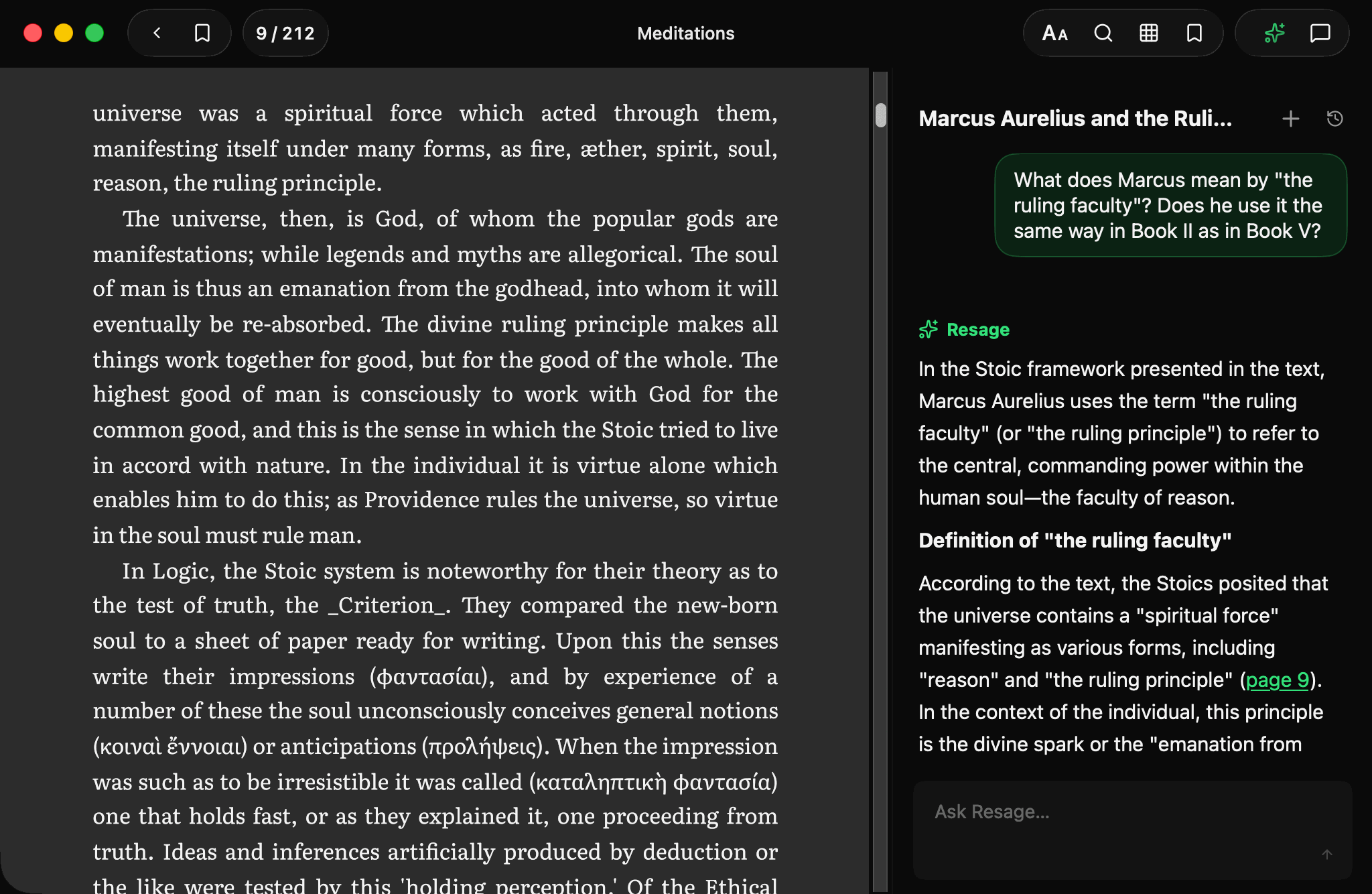
- Resage — Best if you want a clean, modern Mac reader that opens DRM-free AZW3, MOBI, EPUB, PDF, DOCX, TXT, and Markdown directly without conversion, and lets you discuss what you are reading with an AI anchored to the page that remembers how you read. See opening Kindle format files on Mac and how to open AZW3 files on Mac.
Where Resage stops
- macOS 14.0 or later on Apple Silicon. No Windows, Android or web version.
- No DRM removal. Encrypted store purchases cannot be imported.
- Not a library manager. Resage does not perform format conversion or device syncing; Calibre handles that role.
- Discussion needs a connection. Reading downloaded books works offline; cloud Digest and text recognition require AI consent and an internet connection. Answers come from a model in the cloud.
FAQ
Can Apple Books open AZW3 files?
Apple Books cannot open AZW3 files on macOS or iOS. AZW3 is Amazon's proprietary Kindle Format 8. To read a DRM-free AZW3 file on a Mac, you can open it directly in Resage without conversion, or convert it to EPUB using Calibre before importing into Apple Books.
Can Apple Books open MOBI files?
No. Apple Books does not support MOBI files. If the MOBI file is DRM-free, you can open it directly in Resage or convert it to EPUB with Calibre.
What ebook formats does Apple Books support on Mac?
Apple Books natively supports EPUB (.epub) and PDF (.pdf) documents, as well as legacy Apple iBooks (.ibooks) files. It does not support Kindle formats (AZW3, MOBI, AZW), Word documents (DOCX), plain text (TXT), Markdown (MD), or comic archives (CBZ/CBR).
Why does Apple Books reject Kindle format files?
AZW3, MOBI, and AZW are proprietary formats developed by Amazon for the Kindle ecosystem. Apple Books is designed around the open EPUB standard and PDF, and Apple has not built format parsers for Amazon's proprietary files.
Can Apple Books open Word (.docx) or plain text (.txt) files?
No. Apple Books does not import Word documents (.docx, .doc) or plain text files (.txt, .md). You can open Word documents in Pages or Microsoft Word, or import .docx and text files directly into Resage to read them formatted as books.
Can Resage open copy-protected books bought from the Kindle Store or Apple Books?
No. Books purchased with digital rights management (DRM) from Amazon or Apple are locked to their respective ecosystems. Neither Resage nor Calibre can open protected store purchases, and Resage does not provide DRM removal tools. Only DRM-free files can be imported.
How do I read an unsupported format in Apple Books?
If you want to read an unsupported format inside Apple Books, you must convert it to EPUB or PDF using a tool like Calibre first, provided the source file is DRM-free. If you prefer not to convert files, you can open DRM-free AZW3, MOBI, EPUB, PDF, DOCX, TXT, and Markdown files directly in Resage.
What does Resage cost?
Free to start, with a monthly discussion allowance. Importing, reading and offline search are not charged. Cloud Digest has its own monthly allowance (3, 30 or 90 books on Free, Plus or Pro), and scanned-page text recognition is counted by page (1,500, 8,000 or 24,000 pages a month). Resage Plus is $9.99 a month or $99.99 a year; Resage Pro is $29.99 a month or $299.99 a year, with 3x the Plus allowances.