Guide
How do you read a long PDF with AI on a Mac, without pasting it into a chat?
Chat windows make you carry the book. A reader with AI built in keeps the page in front of you and answers from the passage you are looking at. Here is how that works on a Mac, and where it stops working.
The short answer: stop moving the PDF to the AI and put the AI next to the PDF. On a Mac you open the file in a reader, read the actual page, and ask about the paragraph in front of you. The answer is drawn from that passage rather than from whatever the model happens to remember about the title.
That sounds like a small difference. In daily use it is the whole difference, and the reason people keep asking versions of this question:
"What is your workflow for filtering academic papers?" — Ask HN
"Ask HN: As of 2017, best PDF/academic paper reader?" — Ask HN
Nine years apart, same unsolved problem: the reading part and the thinking part live in different apps.
Why pasting a PDF into a chat window goes wrong
You lose the page. A chat interface turns a 300-page document into a scroll of quotes. You can no longer point at something. "Explain this" stops meaning anything, because there is no this.
You lose the layout. Most tools flatten a PDF into plain text before the model sees it. Two-column papers interleave, tables collapse into a run-on line, and a figure caption ends up four paragraphs from its figure. Anything you ask about a table is then answered from a mangled version of that table.
You lose the boundary between the text and the model's memory. This is the expensive one. When you ask about a well-known paper or book, a general-purpose assistant can answer plausibly without consulting your file at all — from its training data. You cannot tell the two apart from the outside, because both come back in the same confident voice.
You start over every session. Yesterday's explanation, the thing you already understood, the thing you had to have explained three times — all gone.
What "AI PDF reader" should actually mean
Four things, in order of how much they matter:
- The PDF stays a PDF. Original fixed layout, real pages, real page numbers. Columns, tables and figure captions stay where the author put them.
- The AI is anchored to the text. When it tells you the document says something, it can show you the passage. When it is drawing on general knowledge instead, it says so, out loud, rather than blending the two.
- You can point. Select a sentence, ask about that sentence.
- It carries over. What you understood last week should shape how the next thing is explained.
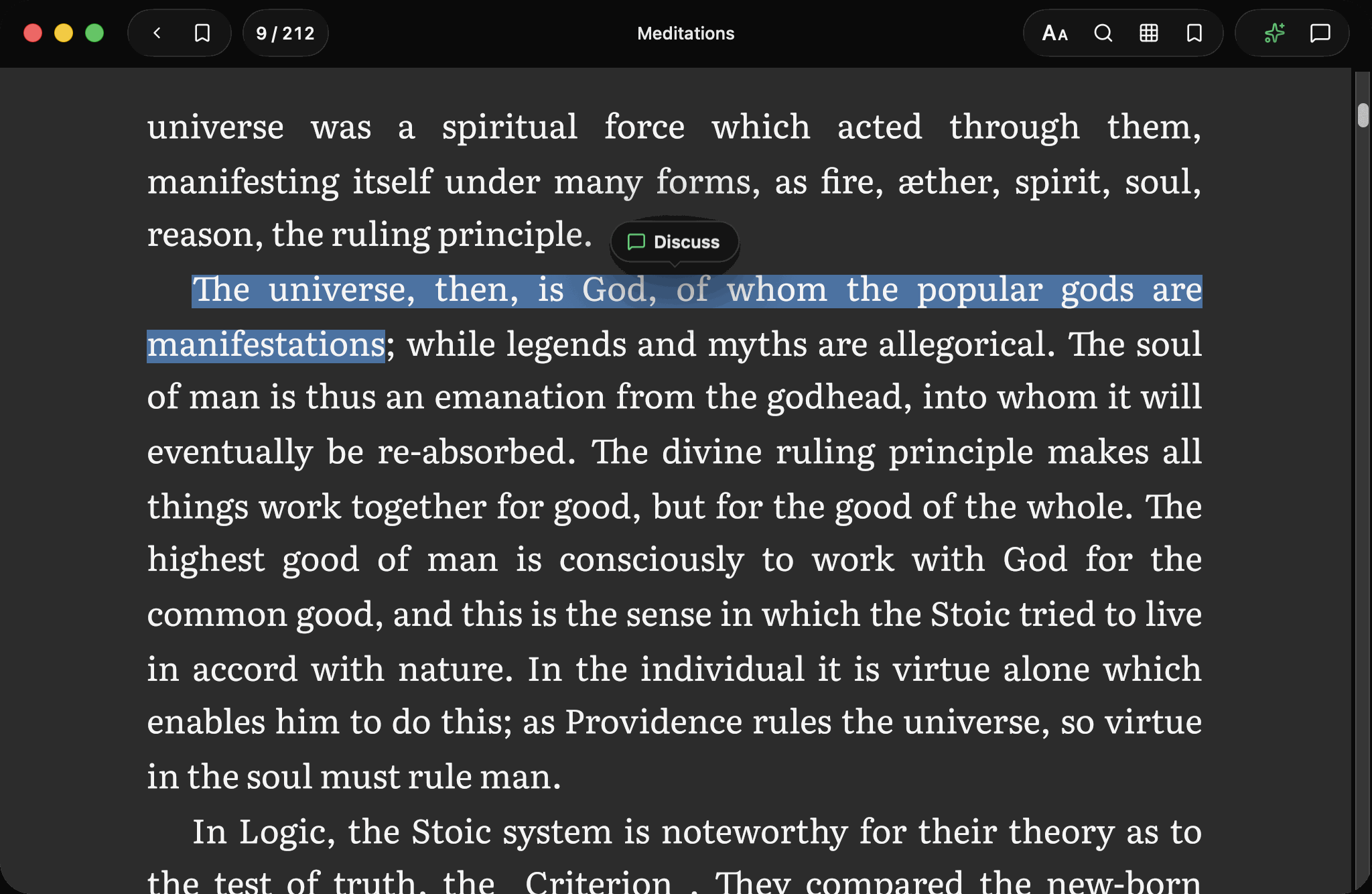
Resage is built on those four. It is a full-page Mac reader with a discussion bar at the bottom that stays out of the way until you call it.
Reading a paper, concretely
Import it. PDF, EPUB, Word, TXT, Markdown and DRM-free Kindle files (MOBI, AZW3) all open. Drag the file onto the library and it lands there.
Read the actual page. PDFs open in their original layout. Nothing is reflowed into plain text behind your back.
Ask about the paragraph you are on. Select a sentence and a Discuss pill appears. The question goes out with the passage attached, so the answer is about your text and not about the abstract the model half-remembers.
Run a Digest when you want the whole thing. With AI consent, Resage prepares newly imported files in the cloud. Afterwards you can ask questions that span the document — "where does the method section contradict the introduction" — from any page. Scanned pages are recognized during this pass; there is nothing to configure.
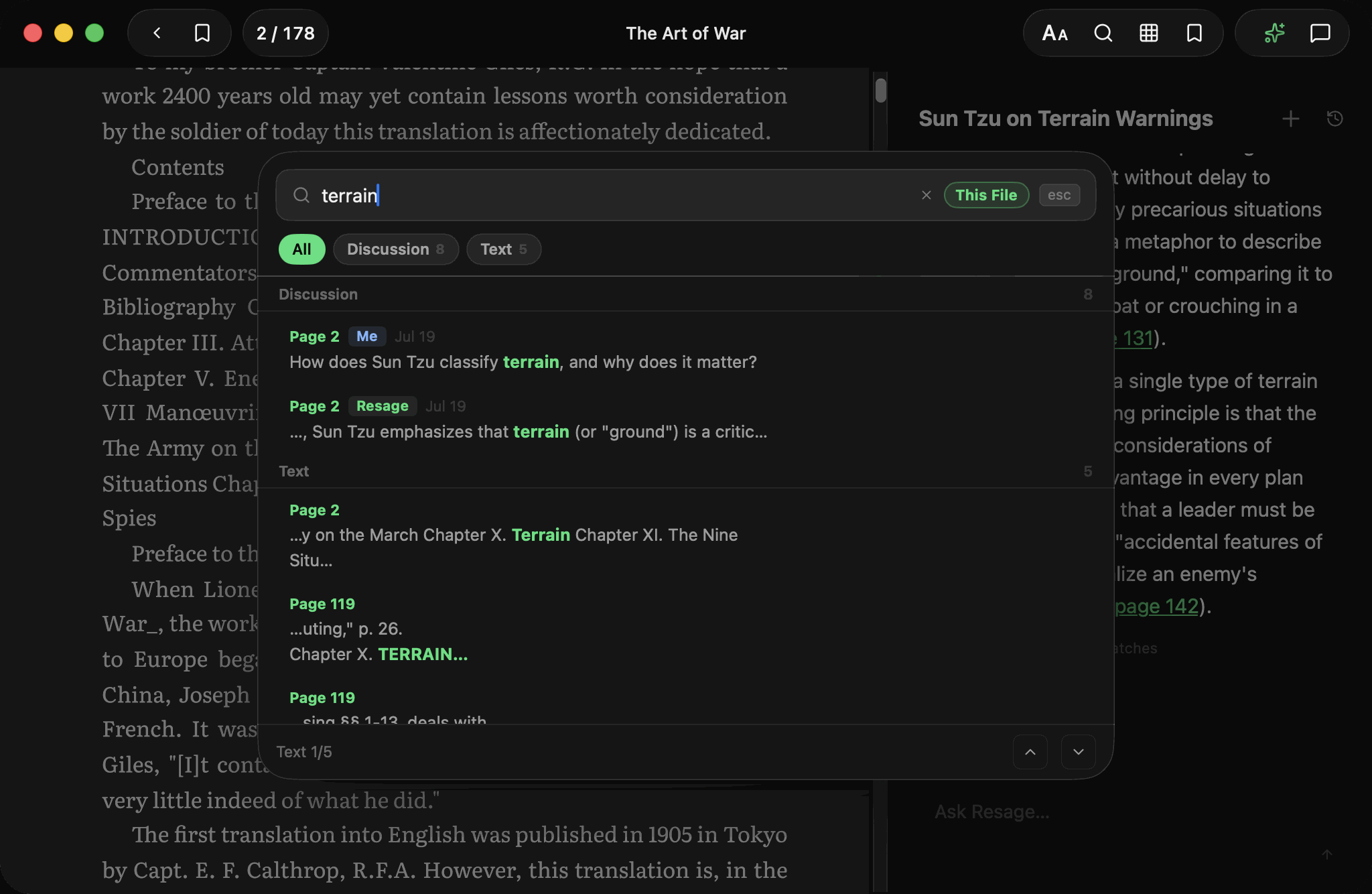
Search across text and past discussions at once. Not just where a word appears, but where you talked about it.
Where it stops
Worth knowing before you download rather than after:
- Mac only, for now. macOS 14.0 or later on Apple Silicon. iPhone is next. There is no Windows, Android or web version.
- Not a PDF editor. No merging, redacting, form filling or watermark removal.
- Not a reference manager. It does not replace Zotero and does not maintain a citation library.
- Not a note vault. There is no highlight export and no Obsidian sync. What it keeps is a memory of your conversations, not a folder of clippings.
- Discussion needs a connection. Reading downloaded books works offline. Cloud Digest and text recognition require AI consent and an internet connection. Answers come from a model in the cloud.
- DRM-protected files cannot be opened — by any third-party reader, this one included.
What actually leaves your Mac
With your AI data-processing consent, newly imported books are prepared in the cloud on Mac, iPhone, and iPad; temporary uploaded originals are deleted when processing finishes. Without consent, reading uses lightweight local parsing without cloud-preparation uploads. AI answers use relevant passages, and your content is never used to train models.
One exception worth stating plainly: if your question is about a figure, diagram or table that has to be seen rather than read, Resage can send an image of that single page so the model can look at it.
FAQ
Can I ask questions across an entire PDF, not just the visible page?
Yes, after a Digest. With AI consent, Resage prepares newly imported files in the cloud first; from then on questions can span the document from any page. Before a Digest, answers stay anchored to the passage you are looking at.
Does it keep the original PDF layout?
Yes. PDFs are shown in their original fixed layout rather than reflowed into plain text, so columns, tables and figure captions stay where the author put them.
How is this different from uploading a PDF to ChatGPT?
Two differences that matter in practice. You keep reading the real page instead of a scroll of extracted quotes, and the reader remembers what you read and discussed across sessions instead of starting from zero each time. There is a longer, honest comparison at Resage vs ChatGPT.
Does it work with scanned PDFs that have no text layer?
Yes. Scanned pages are recognized during cloud Digest after AI consent. See how that works and when it fails.
What does it cost?
Free to start, with a monthly discussion allowance. Importing and reading are not charged. Cloud Digest has its own monthly allowance (3, 30 or 90 books on Free, Plus or Pro), and scanned-page text recognition is counted by page (1,500, 8,000 or 24,000 pages a month). Resage Plus is $9.99 a month or $99.99 a year; Resage Pro is $29.99 a month or $299.99 a year, with 3x the Plus allowances.