Product Overview & Key Facts
One-Sentence Pitch
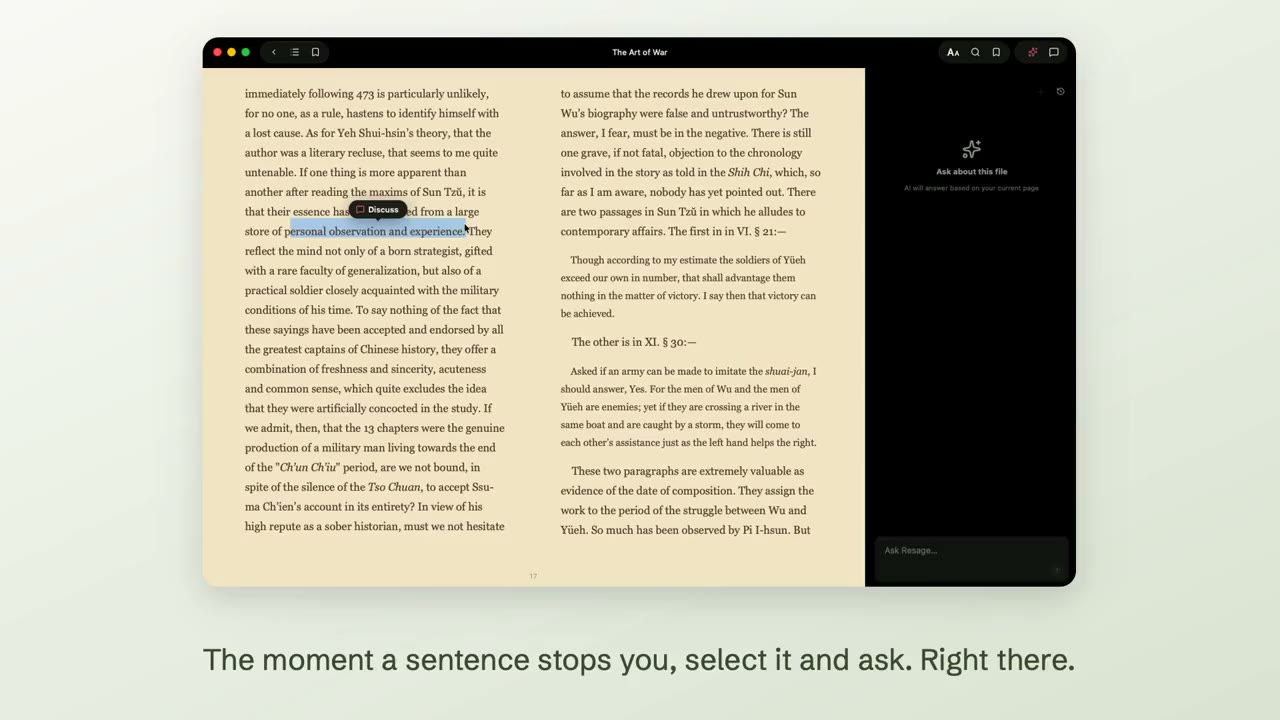
Resage is a macOS reading app that learns how you read: you bring your own files, and it reads alongside you — answering from the actual text, and getting a better fit for you the longer you use it.
Founder & Developer
Mingcan Lei (Shanghai, China) — independent developer
Status
1.0.0, on the Mac App Store since July 29, 2026. Supports PDF today, with more formats on the way. iPhone companion is next.
Platform & System
macOS 14.0 (Sonoma) or later, Apple Silicon
Pricing
Free to start, with a limited monthly discussion allowance. Resage Plus ($9.99/month or $99.99/year) gives you more, and Resage Pro ($29.99/month or $299.99/year) gives you 3x Plus. Reading is not charged; discussions, cloud preparation and scanned-page text recognition each have their own allowance.
How to Get It
Two channels, both from resage.app: the Mac App Store, or a notarized .dmg that updates itself. App Store availability excludes the EU, mainland China, Russia and Belarus; the direct download is available worldwide — so please link to resage.app rather than to the App Store page.
Media Contact
Three Credibility Anchors
Your Files Stay Yours
On Mac, iPhone, and iPad, newly imported books are uploaded for cloud preparation after you agree to AI data processing. There is no separate cloud-processing switch or local Digest option. Temporary uploaded originals are deleted when processing finishes, or within seven days if it cannot complete. Without AI consent, you can read with lightweight local parsing and no cloud-preparation upload. Existing books are not reprocessed automatically. Reading downloaded books works offline; cloud preparation and AI discussion require a connection. Your content is never used to train models.
Grounded, and Willing to Say "I'm Not Sure"
Answers are anchored to the real text of your file, and quoted passages link back to the page they came from. When Resage isn't sure, it is built to say so rather than fill the gap — and when it draws on general knowledge instead of your file, it labels it as such. It matters most with the classics.
Memory You Control
Resage keeps your conversations, including quoted passages, in your account to remember you across files. You can turn memory off or clear all of it at any time, and deleting a file or your account removes it.
Brand & Media Assets
The press package includes high-resolution icons, vector logos, and real, un-retouched application screenshots.


Brand Assets & Logos
Vector SVGs, 1024px App Icons, Dark & Light lockups
Included in Zip Brand Resource Center →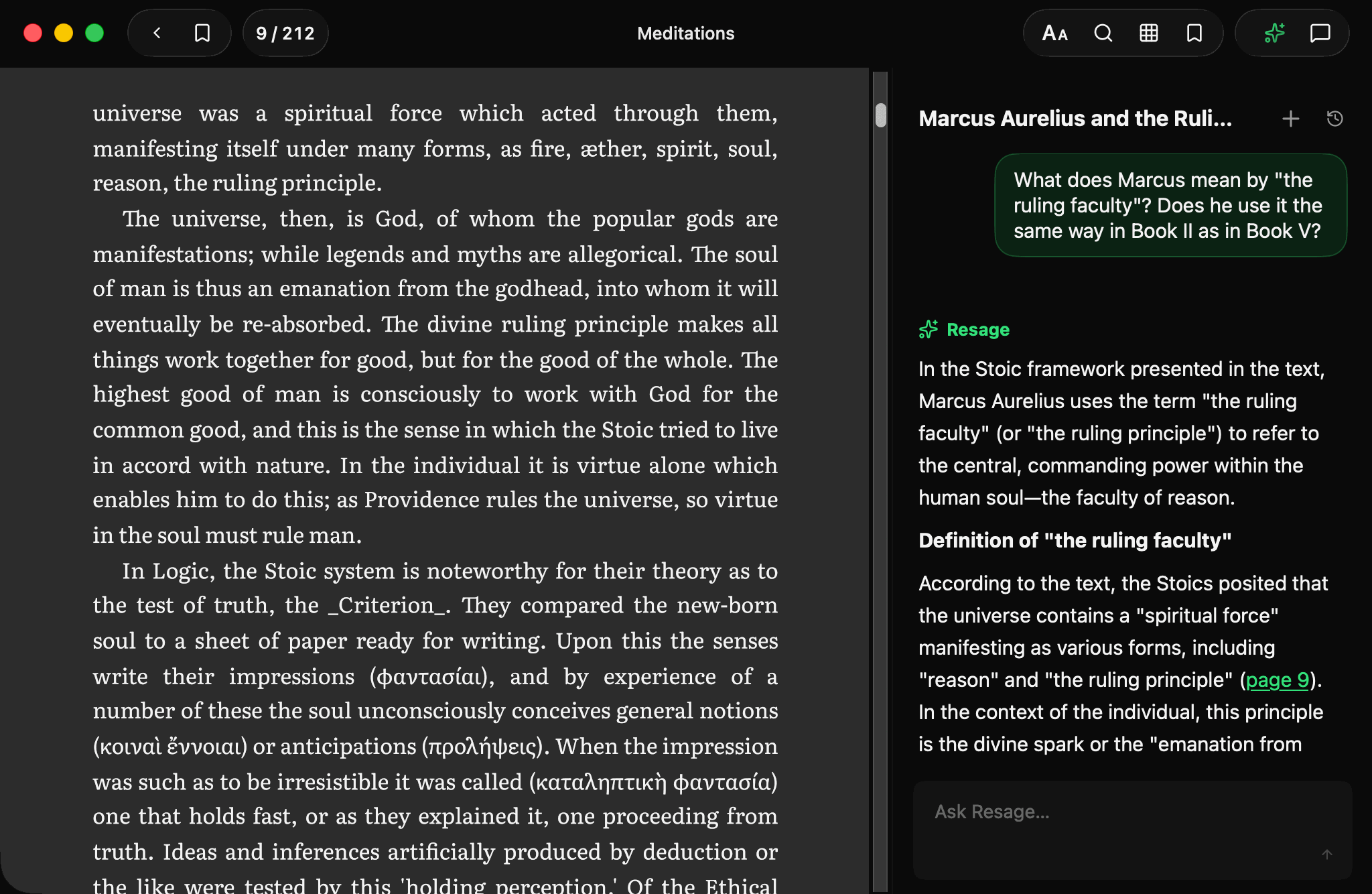
Walkthrough Video (1:55)
2-minute intro: reader, discussions & reading memory
Available on YouTube Watch on YouTube →