Resage 2.0: A Calmer Library, Better Questions and a Pro Plan
Resage 2.0 is the largest update since our first release in July. Most of it came from watching how people actually use the app. They import a stack of files at once, jump back into a book weeks later, want to ask about more than the page in front of them, and want to know where they stand on their plan without digging through Settings.
If you use the direct download from resage.app, 2.0 arrives through the built-in updater. You can also choose Resage > Check for Updates… to get it right away. The Mac App Store version is with Apple for review and will follow.
Here is what changed, and why.
A library that gets out of the way
The library has been rebuilt to look and behave the same on Mac, iPhone and iPad.
- No more sidebar. The Mac library now uses a single toolbar, like the iPad. Filtering lives in one menu, which adds a new Reading Progress filter so you can see only what you are in the middle of.
- Status at a glance. Each book shows a cloud when it is in your account but not yet on this Mac, a progress ring while it downloads, and a star once Resage has read the whole book for you. List rows show format, author, progress, size and when you last read it.
- Show Info. Right-click any book to see its details in one place.
- Import in bulk. Bring in up to 50 files at once. Resage remembers the last folder you used and tells you when a file is already in your library, with a button to open the copy you have.
- A dependable Recently Deleted. Deleted books wait there for 7 days, including books that only live in your account, and come back with one click if you change your mind.
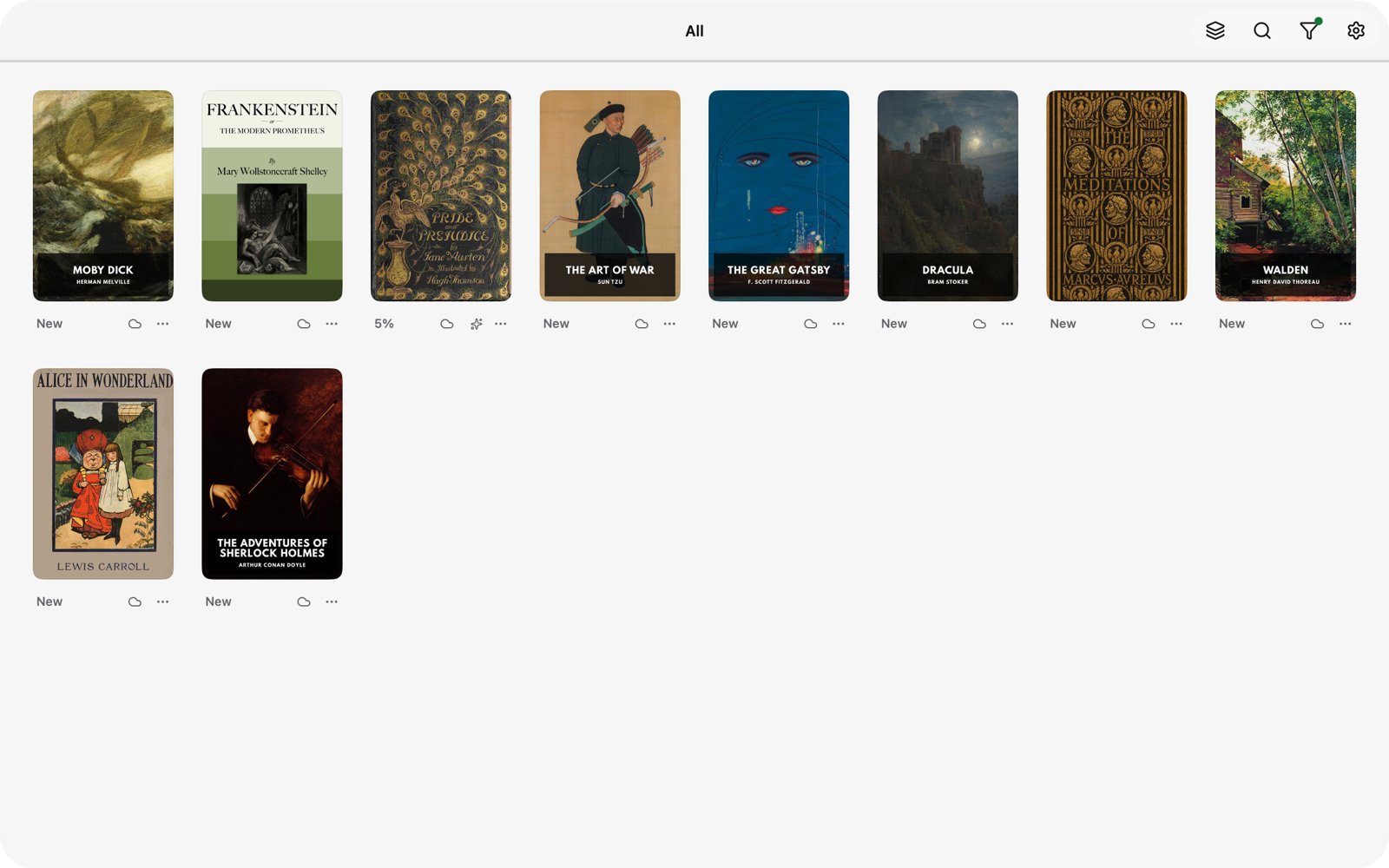
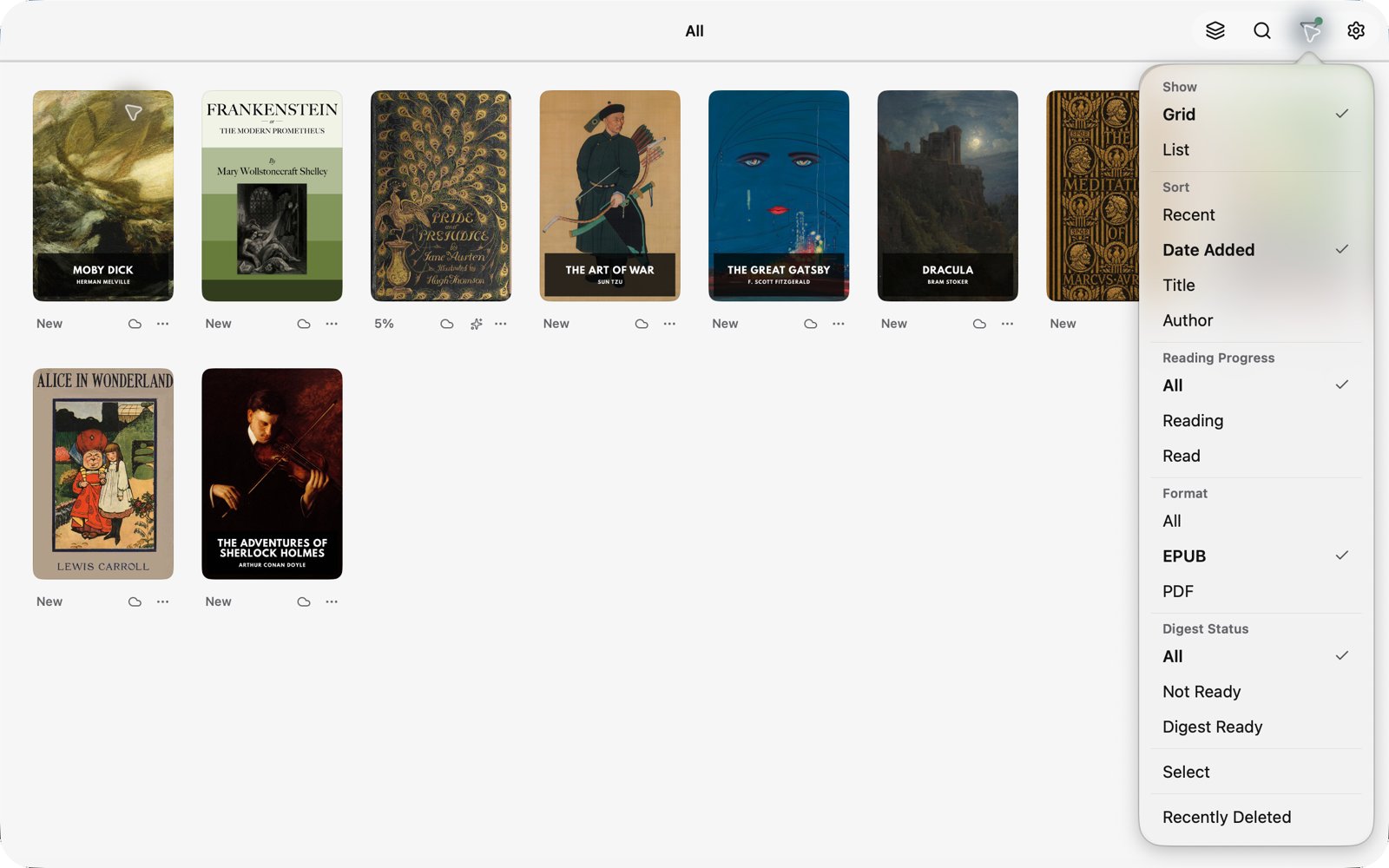
When would you notice this? Say you drop a semester of course PDFs into Resage on a Sunday evening. You can filter to what is still unread, see which ones Resage has finished reading in the cloud, and open any of them on your iPad the next morning.
Find anything inside a book
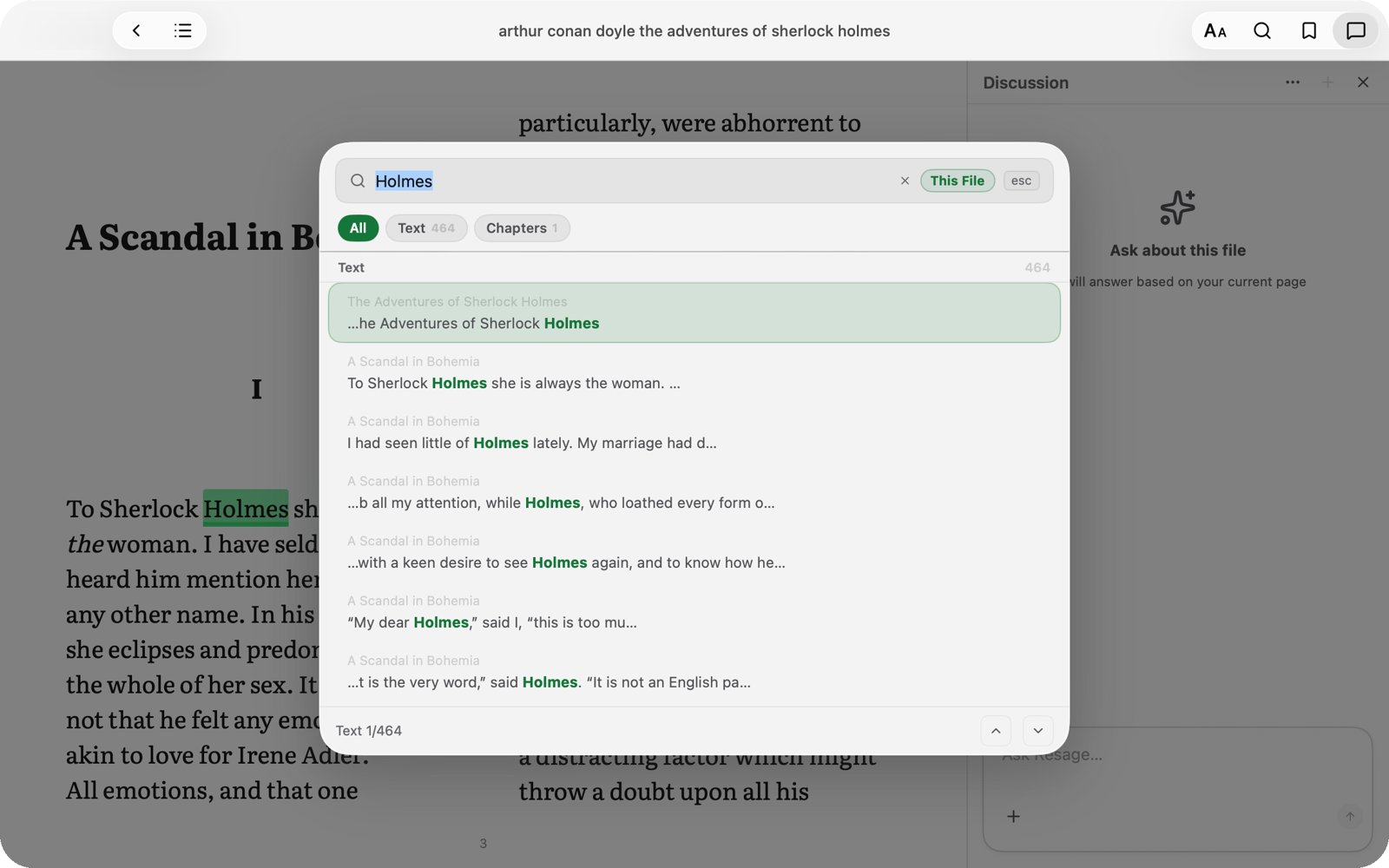
Search now opens as a small window over the page instead of a side panel. For EPUBs, Resage builds a local full-text index on your Mac, so results appear as you type and every match is highlighted in the text.
Useful when you half-remember a name or a phrase from three chapters ago and want to jump straight back to it.
Ask with more context
The question box has a new + menu:
- Attach pages or screens. Add the current page, or a few pages, to your question so the answer is grounded in exactly what you are looking at. In PDFs, the page range is shown above the box, and you can change it by picking pages from thumbnails.
- Extended answers. Go beyond the book. Resage can draw on its own general knowledge, and marks it clearly so it never passes for what the book says. A passage you selected comes along with the question.
- Web search. Search the web on every question for the rest of the session, when you need information newer than the book.
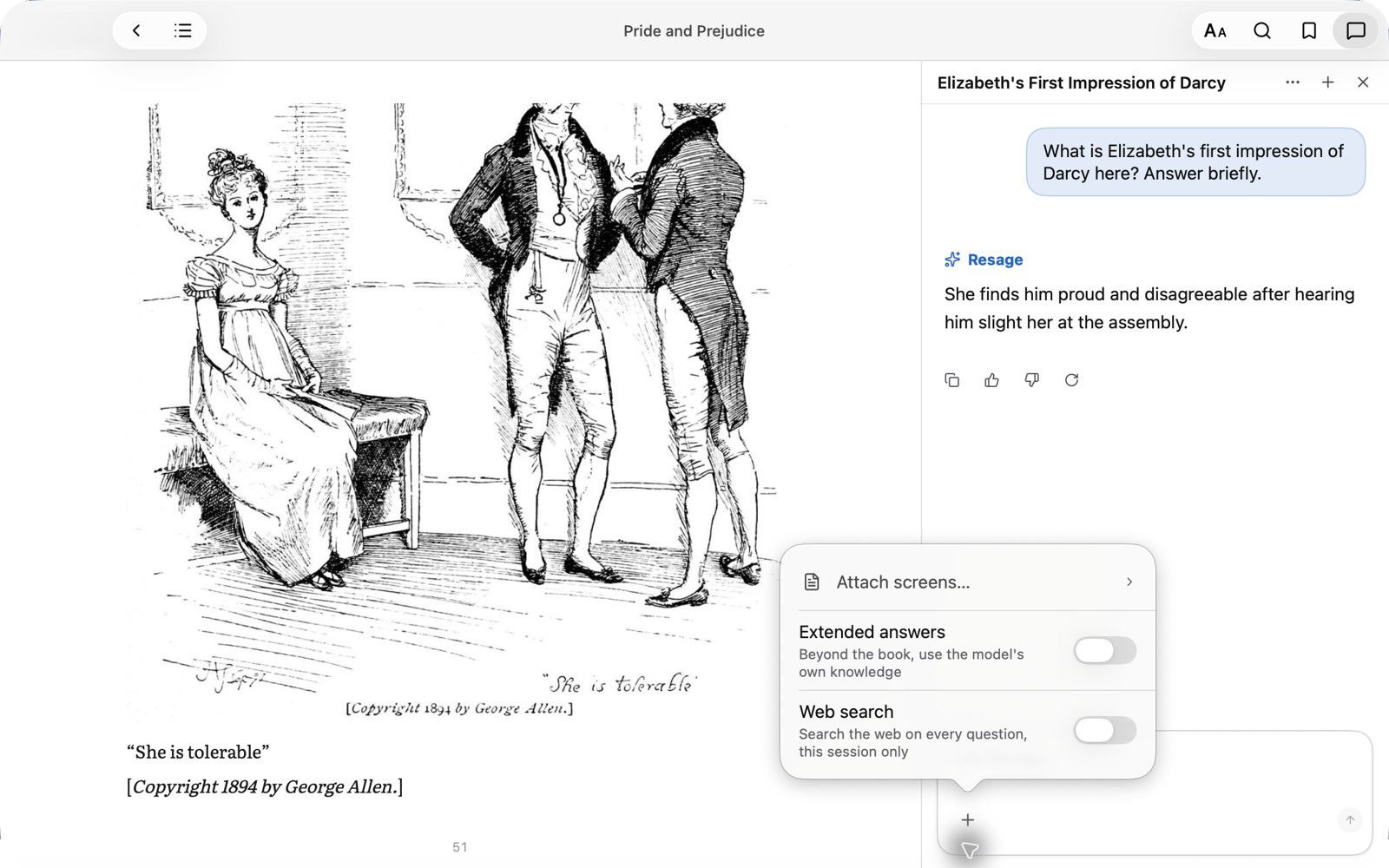
A typical case: you are reading a history of the Industrial Revolution, the author mentions a treaty in passing, and you want the wider background. Turn on Extended answers, ask, then come back to the book's own argument.
Light mode, and reading that looks right
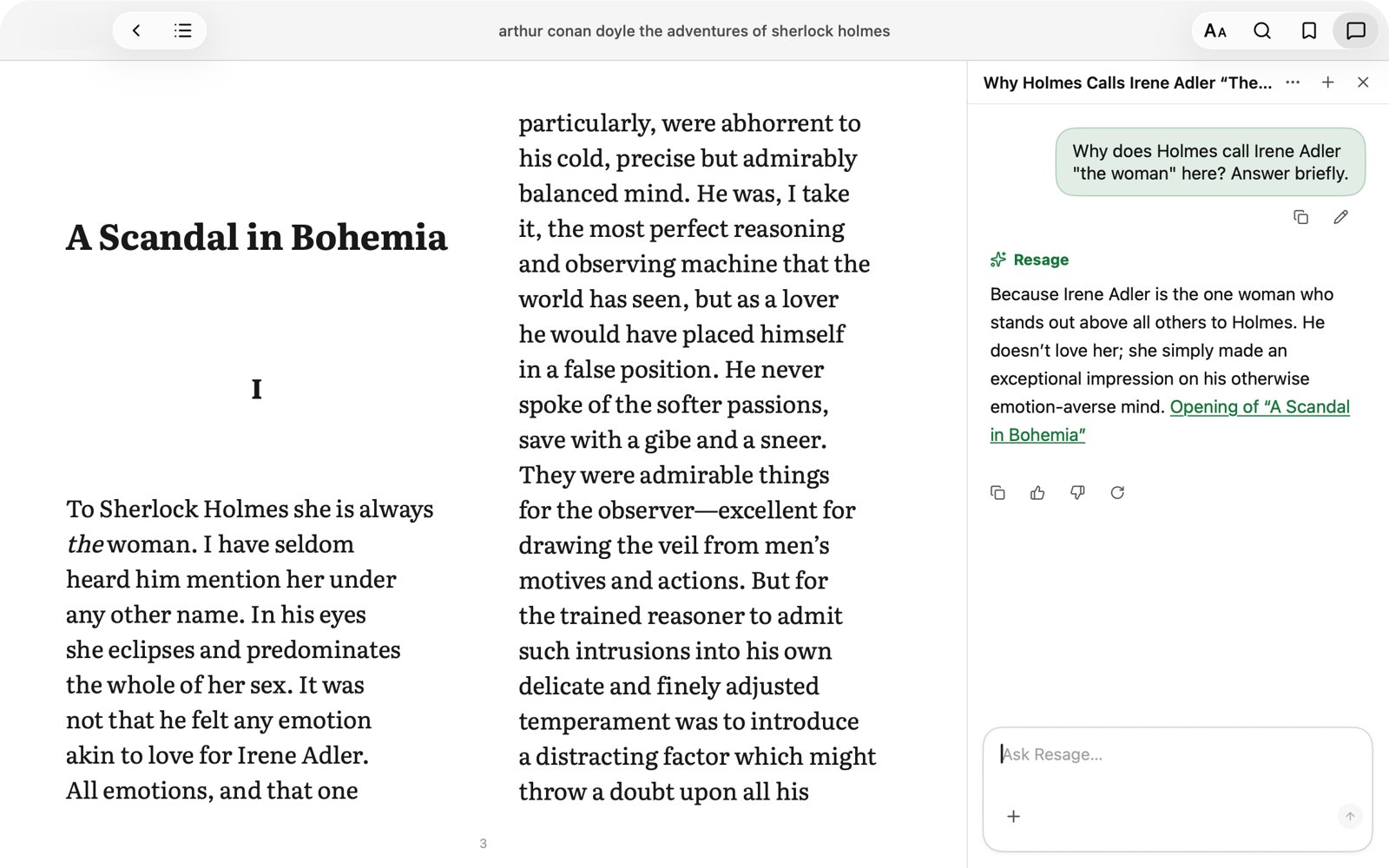
- Light, Dark or follow the system. Resage now has a full light appearance, chosen in Settings.
- Better defaults for Chinese text. Line spacing defaults to 1.5, the default font size is 20, and paragraph spacing follows line spacing, so dense pages are easier on the eyes.
- Black reading for PDFs. A new option in the PDF layout panel for reading at night.
Feels like a Mac app
- A complete menu bar. File, Edit, View, Read and Help now mirror what the app can do, with keyboard shortcuts, and follow the language you set for the app.
- A proper launch screen while your library loads, matching iPhone and iPad.
Know where you stand
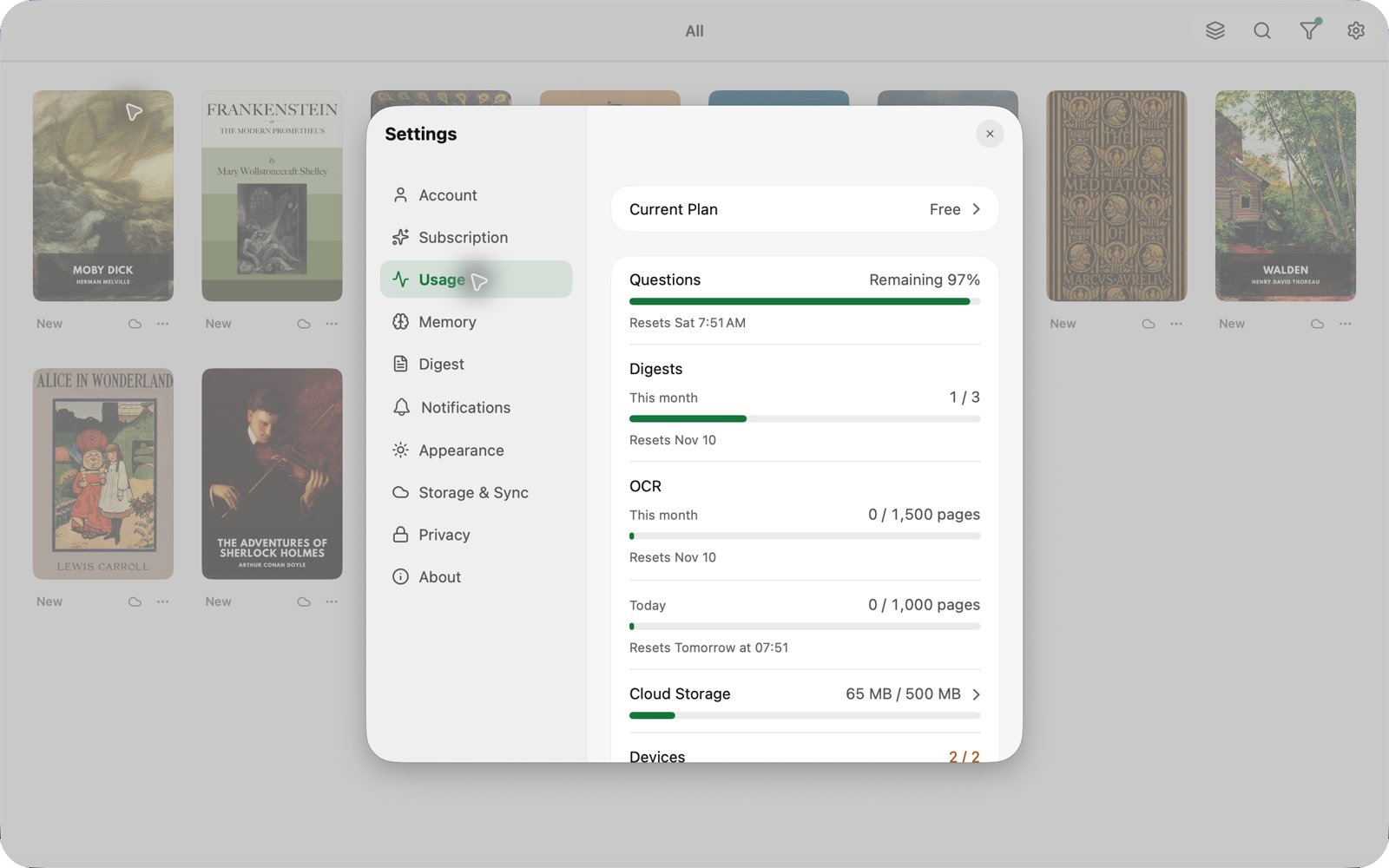
- A Usage page in Settings. Questions, cloud reading, text recognition and cloud storage are all in one place, with progress bars and reset times. From cloud storage you can remove a book's cloud copy or clear its chats.
- Clear messages when you hit a limit. Running out shows one in-app message that says what happened and what you can do, with an option not to be reminded again until it resets. It never counts as a failed read.
- Help when something goes wrong. If an upload, cloud read or download fails, Resage tells you whether it will fix itself, what to do next, or how to contact us, with a ready-to-send email that includes the details we need.
New plans: Free, Plus and Pro
Reading, the AI companion, memory and account sync are available on every plan, including Free. Plans differ in how much you can use each month.
- Free. 3 books read in the cloud, 1,500 scanned pages of text recognition and 500 MB of account storage each month, plus a basic question allowance.
- Plus, $9.99 per month or $99.99 per year. A larger question allowance, 30 books read in the cloud, 8,000 scanned pages and 5 GB of storage.
- Pro, $29.99 per month or $299.99 per year. Three times everything in Plus: 90 books, 24,000 scanned pages and 15 GB of storage.
Text recognition for scanned pages is now counted by page rather than by book, so a short scanned article no longer uses up the same allowance as a 600-page scanned textbook. Full details are on the pricing page.
Pro is for people who read for a living: researchers working through a reading list, students with a shelf of scanned course packs, anyone who asks dozens of questions a day.
Update now
Direct download users: open Resage and choose Resage > Check for Updates…, or download the latest version from the download page. Your library, memory and reading progress carry over.
As always, if something feels off, use Send Feedback in Settings or write to hello@resage.app. We read every message.
Happy reading!