Resage for iPhone and iPad Is Now on the App Store
Resage 2.0 is now available for iPhone and iPad, alongside the Mac version. It is one app idea on three devices: your own files, an AI beside the page that answers from the text, and one library behind your account. The App Store listing covers Mac, iPhone and iPad, and the app is available in 171 regions, including the EU. It is not available in mainland China.
Get Resage on the App Store. Requires iOS 17 or iPadOS 17 or later.
One library on every device
Sign in with the same email on Mac, iPhone and iPad and your library is there. Titles and covers sync automatically. A book that is not yet on the device shows a cloud and its file size, and downloads when you open it. Reading progress and bookmarks follow you, and when you open a book Resage jumps to your latest position. Account cloud sync can be turned off in Settings.
Your account is a single email address and a verification code. There is no password to create or forget.
Getting files in
Import from the Files app, or send a file to Resage with Open In from another app. Resage opens PDF, EPUB, MOBI, AZW3 and AZW (DRM-free only), DOCX, TXT and Markdown. If you import a file you already have, Resage keeps one copy and tells you.
Reading
PDFs keep their original layout. You can scroll or page through them, and in landscape on iPad they can show two pages at once. Ebooks page by default or scroll, and each device remembers its own choice. Reading follows the app appearance, light or dark. The contents list is tappable, and search works inside ebooks.
Ask about the line in front of you
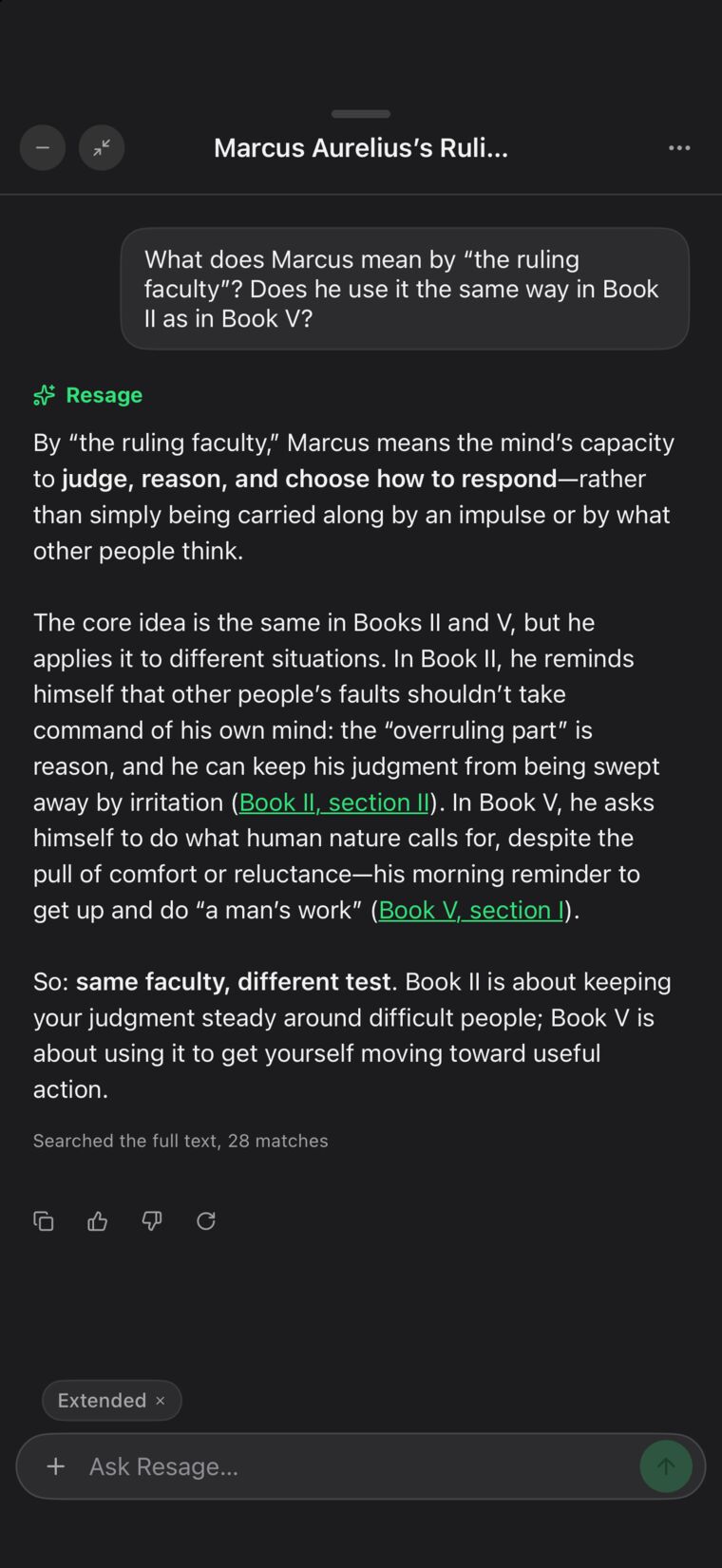
In an ebook, select a passage and choose Ask Resage from the system menu. Answers are grounded in the file, and page citations are links you can tap to jump back to the text. When Resage draws on general knowledge instead of your file, it says so.
The plus button in the ask box lets you attach the current page or screen, switch on extended answers, or switch on web search. The last two are off by default and apply to one conversation. Past conversations are kept in your history, and search covers both the text and your discussions.
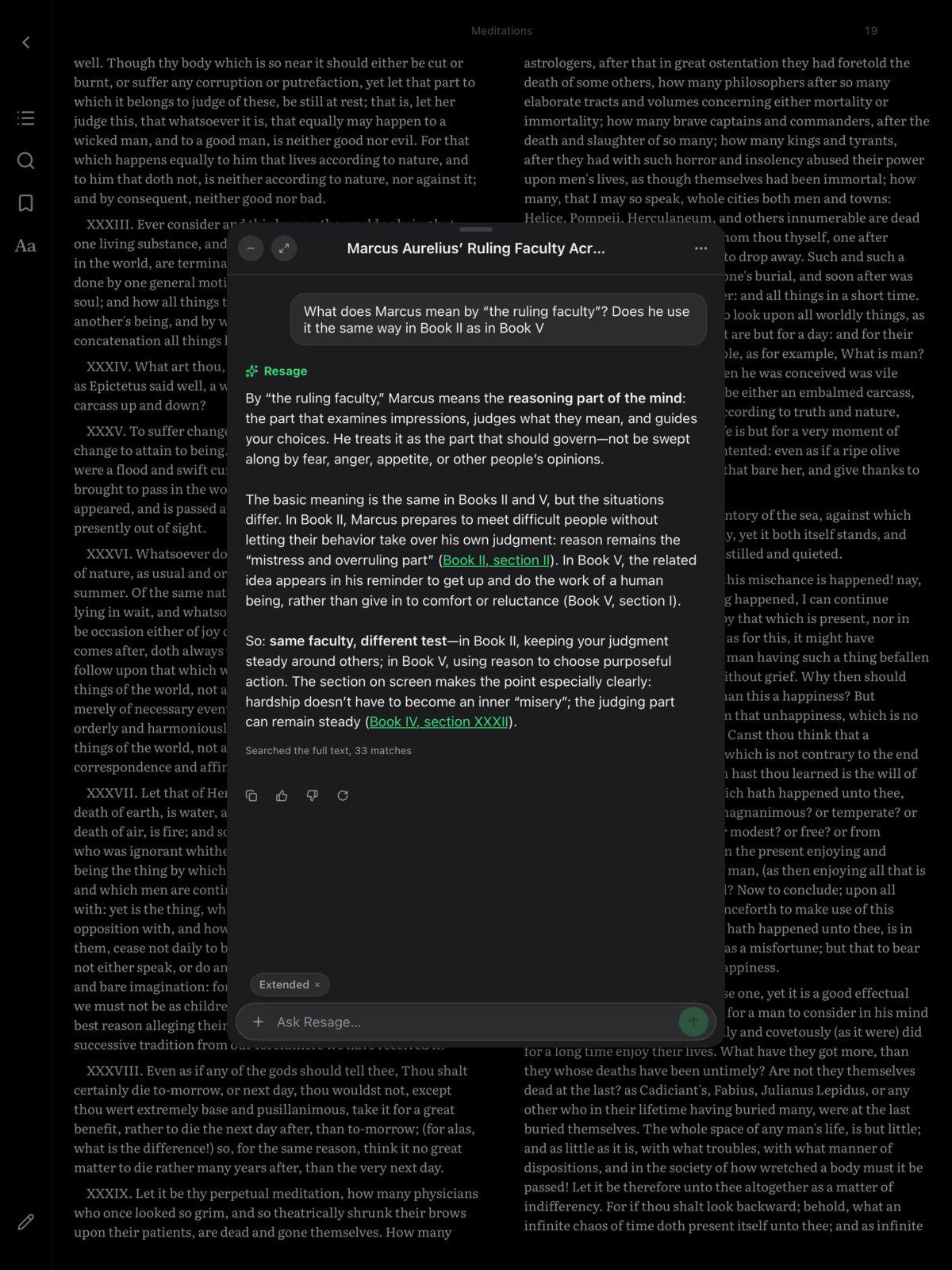
On iPad the discussion opens as a floating panel over the page, so you can keep reading while you ask. In Settings you can switch it to a docked split view instead, and each device remembers its choice.
Read-through
Read-through is the optional cloud step that lets Resage work across a whole book, and recognize text in scanned PDFs. It runs only after you agree to AI data processing. Each plan has a monthly allowance: 3 books on Free, 30 on Plus and 90 on Pro. You can be notified when a read-through finishes or fails, and you can turn those notifications off. For what is uploaded and what is deleted, see Your files and exactly what leaves your Mac. Your content is never used to train models.
What to know before you install
- Requires iOS 17 or iPadOS 17 or later.
- Free accounts can stay signed in on 2 devices, Plus and Pro accounts on 5.
- Search works in ebooks, not in PDFs.
- In PDFs on iPhone and iPad there is no ask-about-a-selection menu. Use the discussion button instead.
- Your plan is shared with Mac. On iPhone and iPad you subscribe through Apple in-app purchase.
- An Android version is in testing and not yet released.
Pricing
Resage is free to start. Plus is $9.99 a month or $99.99 a year, and Pro is $29.99 a month or $299.99 a year. Importing and reading are not charged. See Pricing for the full allowances.
Frequently asked questions
Is Resage available on iPhone and iPad?
Yes. Resage 2.0 is on the App Store for iPhone and iPad (iOS 17 or iPadOS 17 or later), and the same listing includes the Mac app.
Do I need a separate account for iPhone and iPad?
No. Sign in with the same email you use on Mac. Your library, progress, bookmarks and plan follow the account.
Is there an Android version?
Not yet. An Android version is in testing and is not released.
Where is the iPhone and iPad app not available?
It is available in 171 App Store regions, including the EU. It is not offered in mainland China.
Which files can I open on iPhone and iPad?
PDF, EPUB, MOBI, AZW3 and AZW (DRM-free), DOCX, TXT and Markdown.